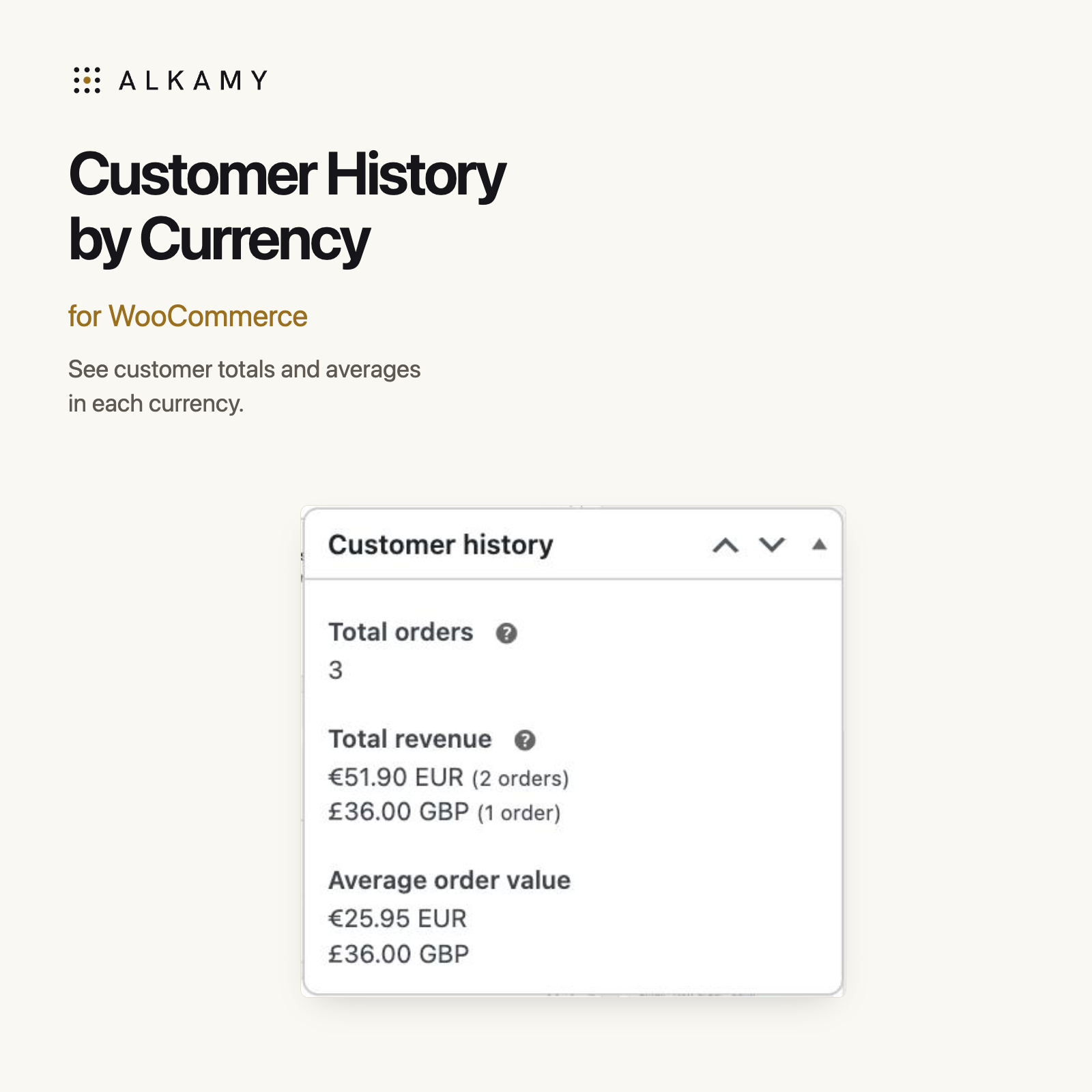
Read the customer’s history in the currencies they paid.
When a customer pays in more than one currency, a single combined amount can hide what they spent. This plugin separates the Customer history box into a total and an average for each currency, right on the WooCommerce order screen.
Keep euros and pounds separate.
In this demonstration, two euro orders total €51.90 and one sterling order totals £36.00. The panel shows both totals and their own averages. Refunds reduce the total of the refunded order’s currency. Nothing is converted.
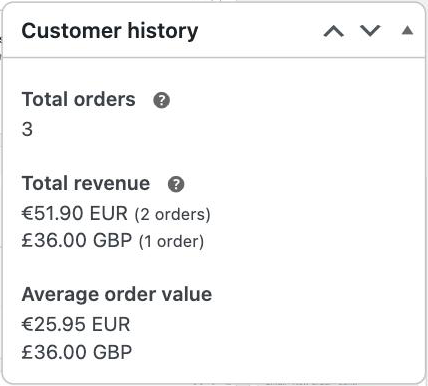
Actual plugin screenshot with demonstration order data.
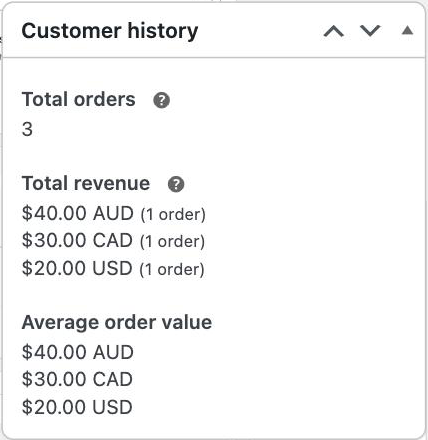
Actual plugin screenshot showing three different dollar currencies.
Tell dollar currencies apart.
AUD, CAD and USD can share the $ symbol. Currency codes keep them distinct, so a $40.00 AUD history does not look like a $40.00 USD history. The plugin reads the currency saved on each order.
Activate it, then open an order.
- Install the ZIP under Plugins → Add Plugin → Upload Plugin, then activate it with WooCommerce active.
- Open an order for a customer who has paid in a currency other than your store currency.
- Find the Customer history box. The per-currency totals and averages appear there. There are no plugin settings.
The plugin changes this display only. It does not write to orders, Analytics, reports or settings, and makes no external requests.
Requirements and limits
- Download version: 1.0.2. Free, GPL-2.0-or-later.
- WordPress: 6.9 or later. PHP: 7.4 or later.
- WooCommerce: 10.8 or later, with High-Performance Order Storage (HPOS) and WooCommerce Analytics enabled.
- Tested with WooCommerce 11.1.2. Specific multi-currency plugins have not been individually tested.
- On legacy order storage, it leaves the panel unchanged. A replacement Customer history template must still print the standard total and average.
If you installed the original GitHub plugin under customer-history-by-currency-for-woocommerce, deactivate that copy before activating this Alkamy package. Your orders remain in WooCommerce.
Source code and changelog on GitHub. For installation help, contact Alkamy.
Questions before you install
Does it convert currencies?
No. Each amount stays in the currency the customer paid. This is a per-currency history, not a converted lifetime total.
Why does the panel stay the same for some customers?
Customers who have only paid in the store currency keep WooCommerce’s normal panel. The plugin also leaves the panel alone if its counts and totals do not reconcile with WooCommerce’s figures, or if WooCommerce already lists currencies separately.
Does it change my orders or reports?
No. It changes what the Customer history box displays. Order records, Analytics and reports are unchanged.