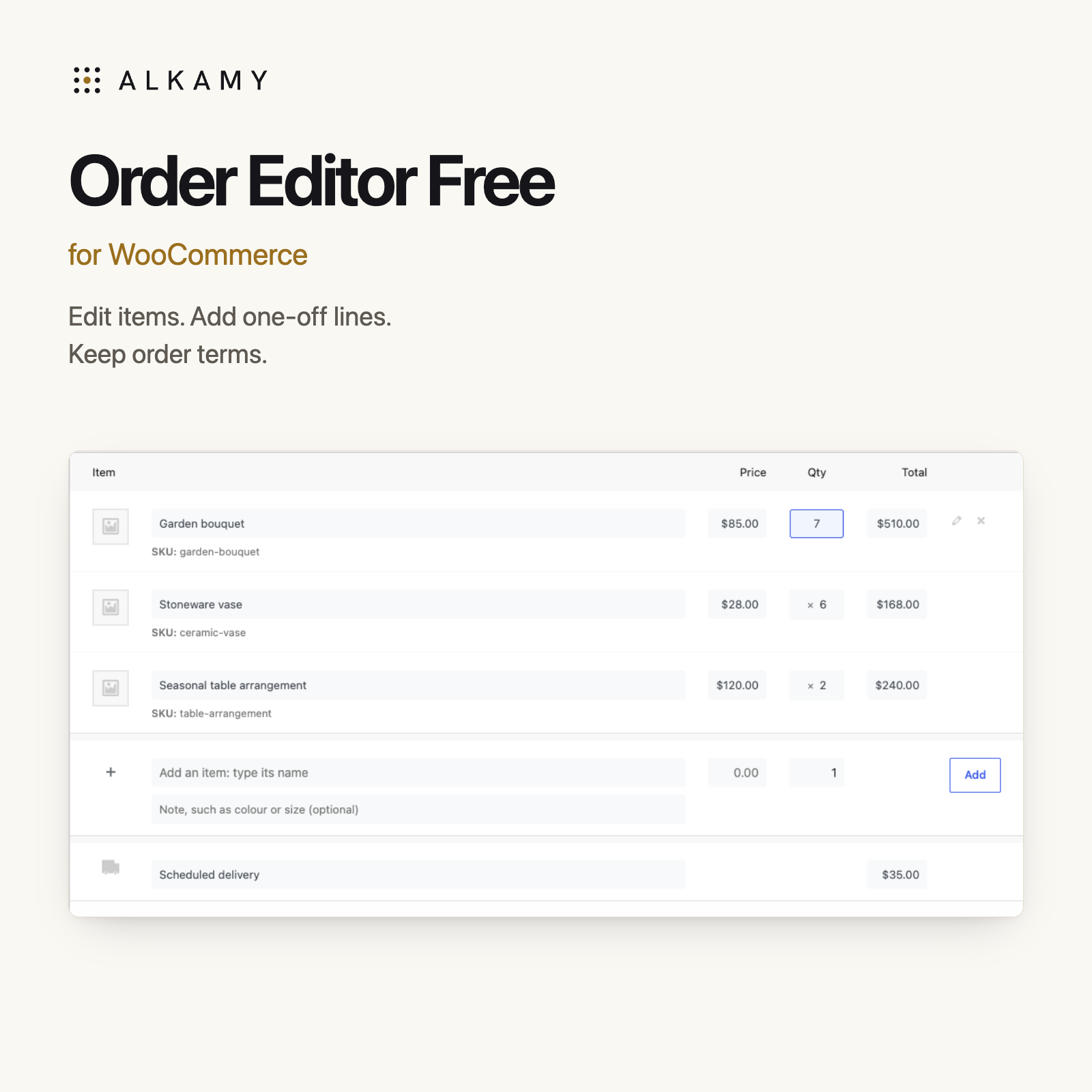
Inline item edits Work in the WooCommerce order screen.
One-off order lines Add items without catalogue products.
Terms with each order Keep payment and delivery wording close.
A phone order. A changed quantity. One place to handle it.
When an order arrives by message or over the counter, put it straight into WooCommerce. Edit the line where it appears, add the extra item and keep the terms with the order.
Take the order where you already work.
For orders that arrive by phone, message or over the counter, open WooCommerce → Orders and enter the details directly. Click a shaded item name, price, quantity or total to edit it. Enter saves, Esc cancels, and Tab saves and moves to the next field.
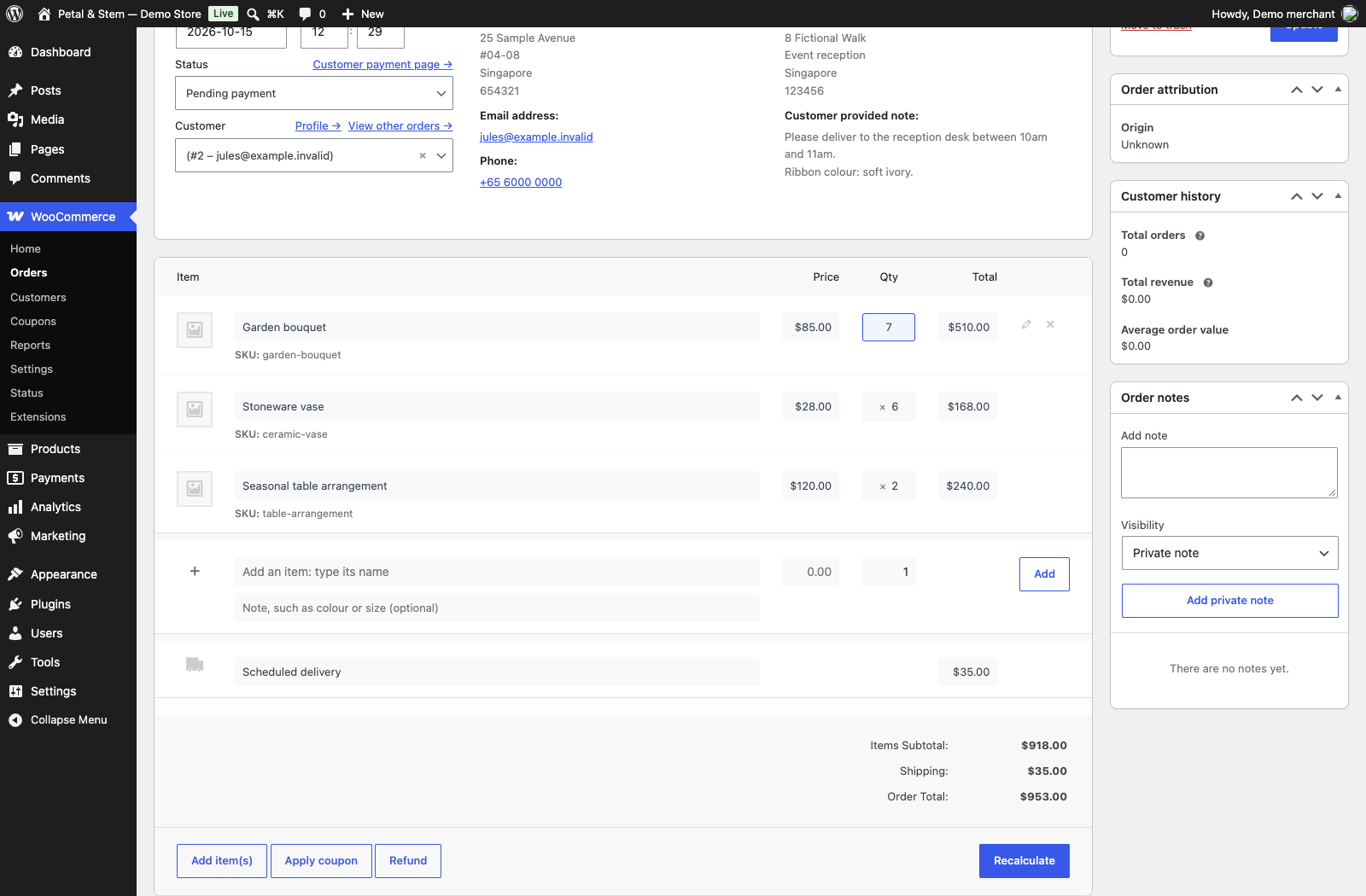
Actual Free plugin screen, captured with Pro deactivated. Fictional demonstration data.
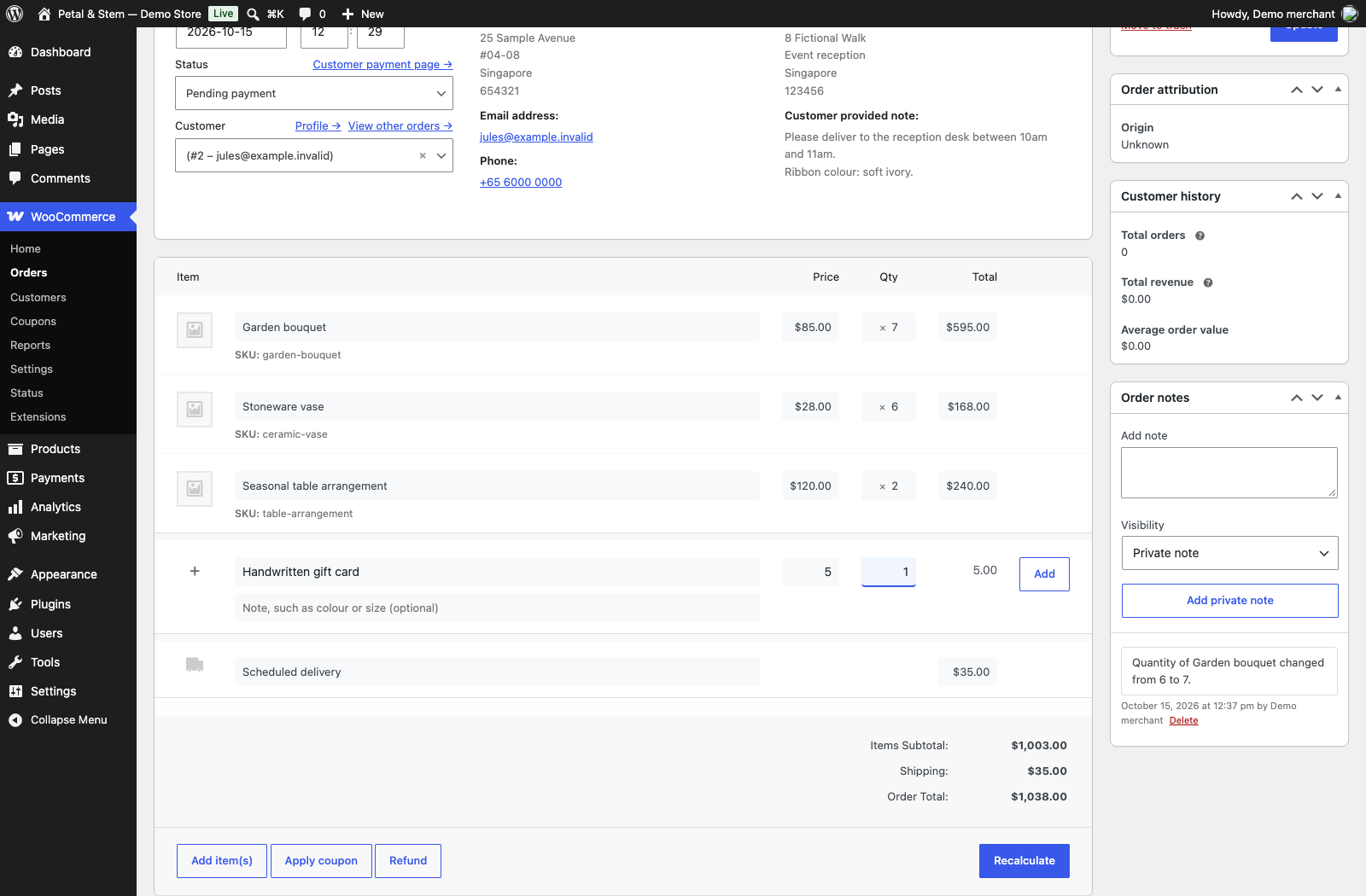
Actual Free plugin screen, captured with Pro deactivated. Fictional demonstration data.
Add the one-off item without building a product.
Search for a catalogue product, enter a one-off item with a price and quantity, or add a delivery charge. Renaming a catalogue item on an order keeps its catalogue name unchanged. Saved line changes recalculate WooCommerce taxes and totals and leave a private order note.
Keep payment and delivery terms with each order.
Set shared default terms, then change the wording on an individual order. Display saved terms in WooCommerce customer emails and order pages using the settings under WooCommerce → Settings → General → Order terms. Changing the defaults does not rewrite earlier orders.
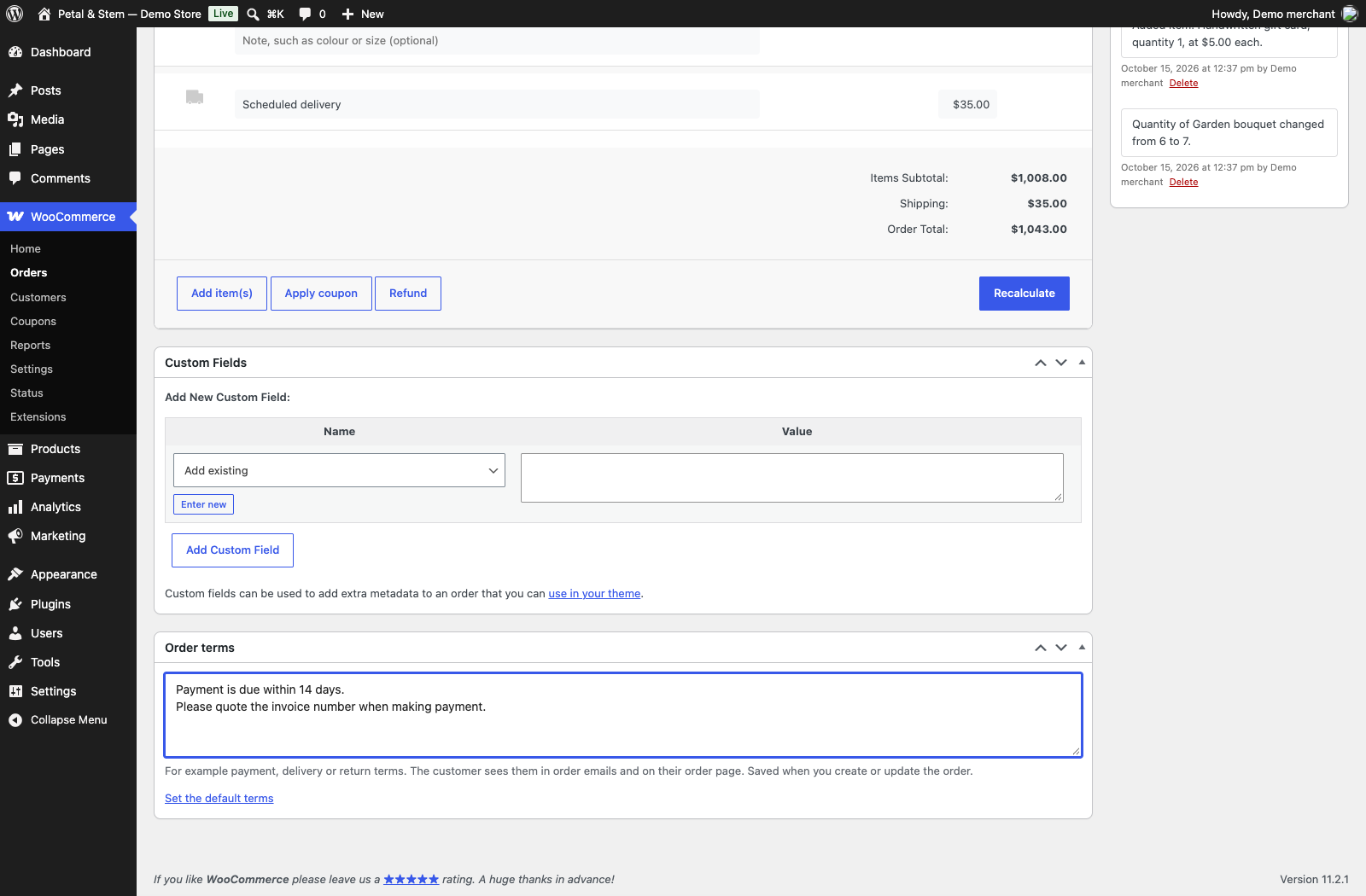
Actual Free plugin screen, captured with Pro deactivated. Fictional demonstration data.
See the free editor in use.
Free editor walkthrough · 0:45 · English narration and captions.
Read the walkthrough transcript
The following transcript follows the recorded demo.
00:00:00 · Edit order lines in place Enter manual orders directly in WooCommerce. Click a shaded quantity, type the new amount, and press Enter. The order editor saves the line and recalculates the total.
00:00:12 · Add a one-off item Add a one-off item without creating a catalogue product. Enter a description, unit price, and quantity in the empty row. Choose Add, and the item becomes a normal line on the order.
00:00:26 · Keep terms with the order Keep payment or delivery terms with each order. Edit the order's own terms, then choose Update to save them. The free plugin can display saved terms in WooCommerce emails and customer order pages.
Start with the order. Add the paperwork when you need it.
STEP 1
Start with the free editor
Inline item edits, catalogue and one-off items, delivery charges and saved order terms. Complete the free checkout, then install the ZIP in WordPress.
Current version: 1.0.10-alpha. Updates are supplied as ZIP files for manual installation.
↓
STEP 2
Add Pro for the document work
Add customer fields, document sections and reusable block layouts. Preview and download invoices, quotations, packing slips, delivery orders and credit notes for existing refunds.
Explore Pro ↗ · Free and open source under GPL-2.0-or-later. Pro requires Free to remain active.
Free download · Version 1.0.10-alpha · Manual updates
This is an alpha build. Test it on a backup copy of your store before live use.
Install it and enter your first order.
Requires WordPress 6.8+, WooCommerce 10.0+ and PHP 7.4+. Complete the free checkout to receive your ZIP download, then go to Plugins → Add Plugin → Upload Plugin in WordPress. Upload, install and activate Alkamy Order Editor.
Open a Pending payment or On hold order, or create a new order. Add an item in the empty row, then click a shaded value to make your first edit. Click Update to save order terms.
Updates currently require downloading and uploading the newer ZIP. No paid subscription or licence key is required for Free. Your order and download remain available through WooCommerce’s normal order flow.
Before you install
Can I edit paid or refunded orders?
Editing follows WooCommerce’s editable-order rules. Orders with refunds stay protected. Editing an order does not reconcile money already collected; handle any payment difference through your normal payment workflow.
Does Free create PDF invoices?
Alkamy’s PDF layouts, previews, downloads and automatic invoice attachments are Pro features. Free can pass order terms to the separate PDF Invoices & Packing Slips for WooCommerce plugin.
Does it support HPOS?
Free supports HPOS and post-based order storage. Subscriptions, bookings, bundles and external tax services need separate testing.
What happens when totals are recalculated?
WooCommerce recalculates taxes and reapplies coupons. Manual tax overrides can be replaced. Product coupons require catalogue products; fixed cart coupons can also apply to one-off items.