Give product descriptions a block editor of their own.
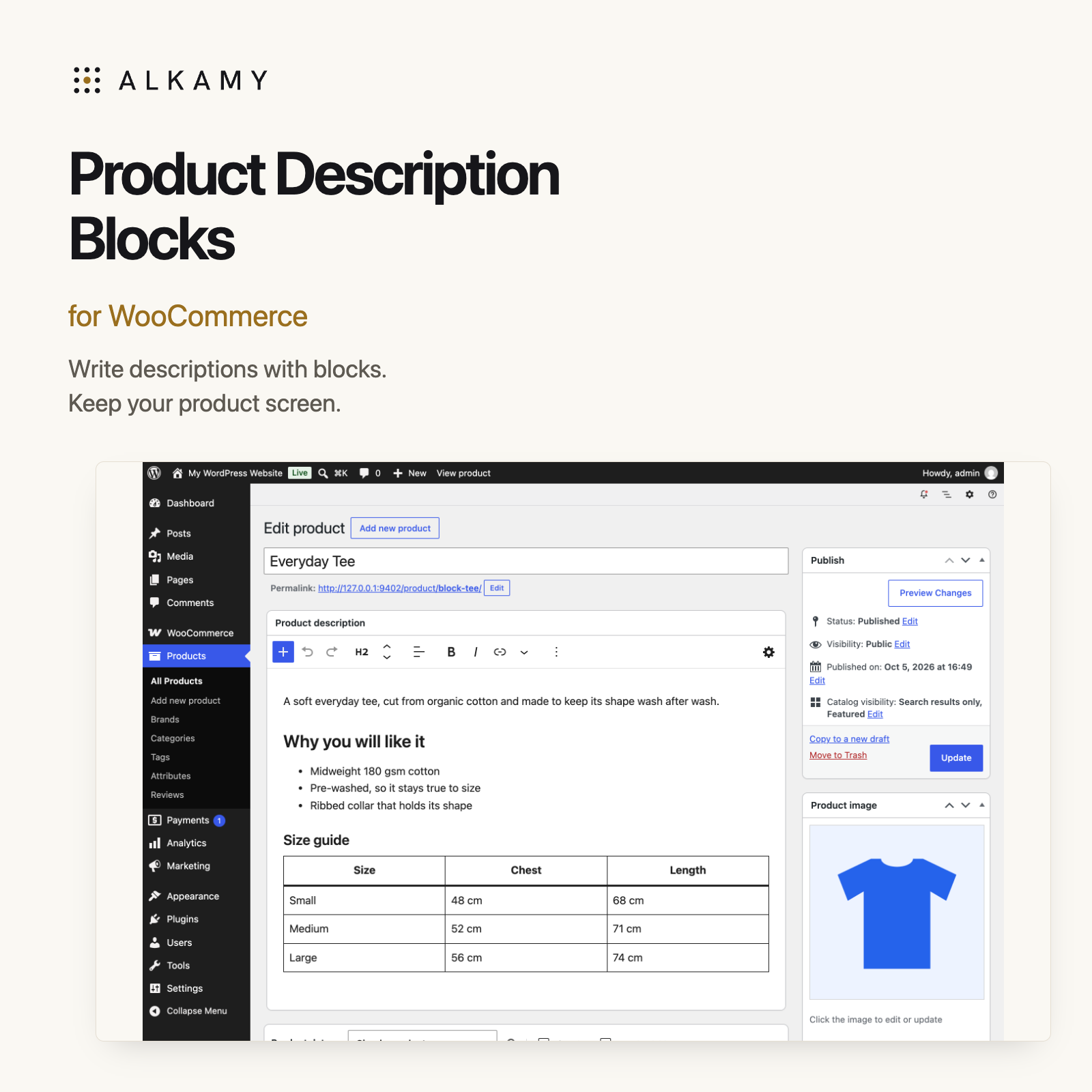
Add headings, lists, images, tables, buttons and columns to product copy without replacing the whole product screen. The main description and short description get their own block editors. Price, gallery, variations and Product data keep their usual places.
Build the description with familiar blocks.
Use the + inserter or type / to add a block. The toolbar gives you undo, redo and the selected block’s tools, while the cog opens that block’s settings. Use the same Update button to save the product.
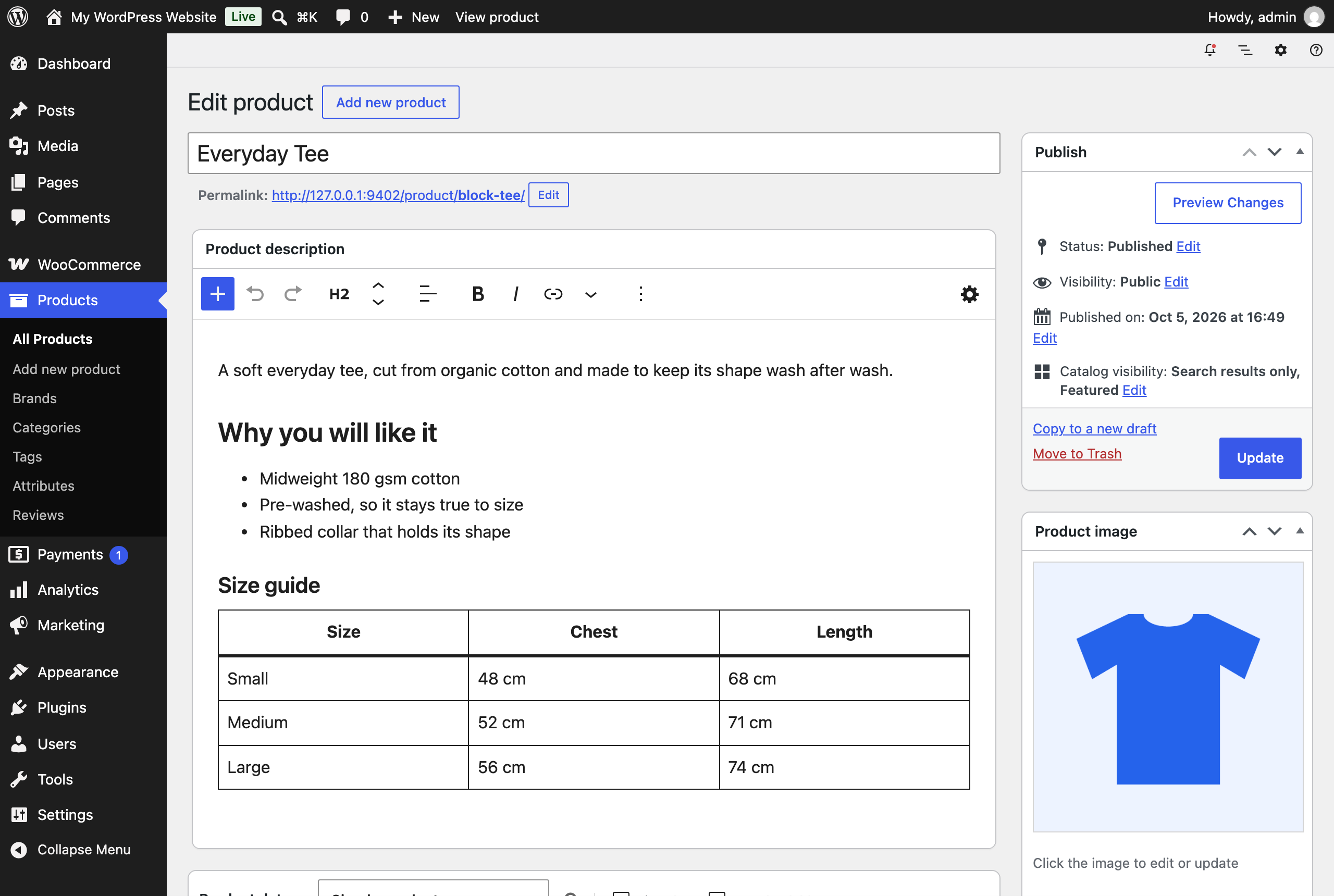
Actual plugin screenshot from the Everyday Tee demo product.
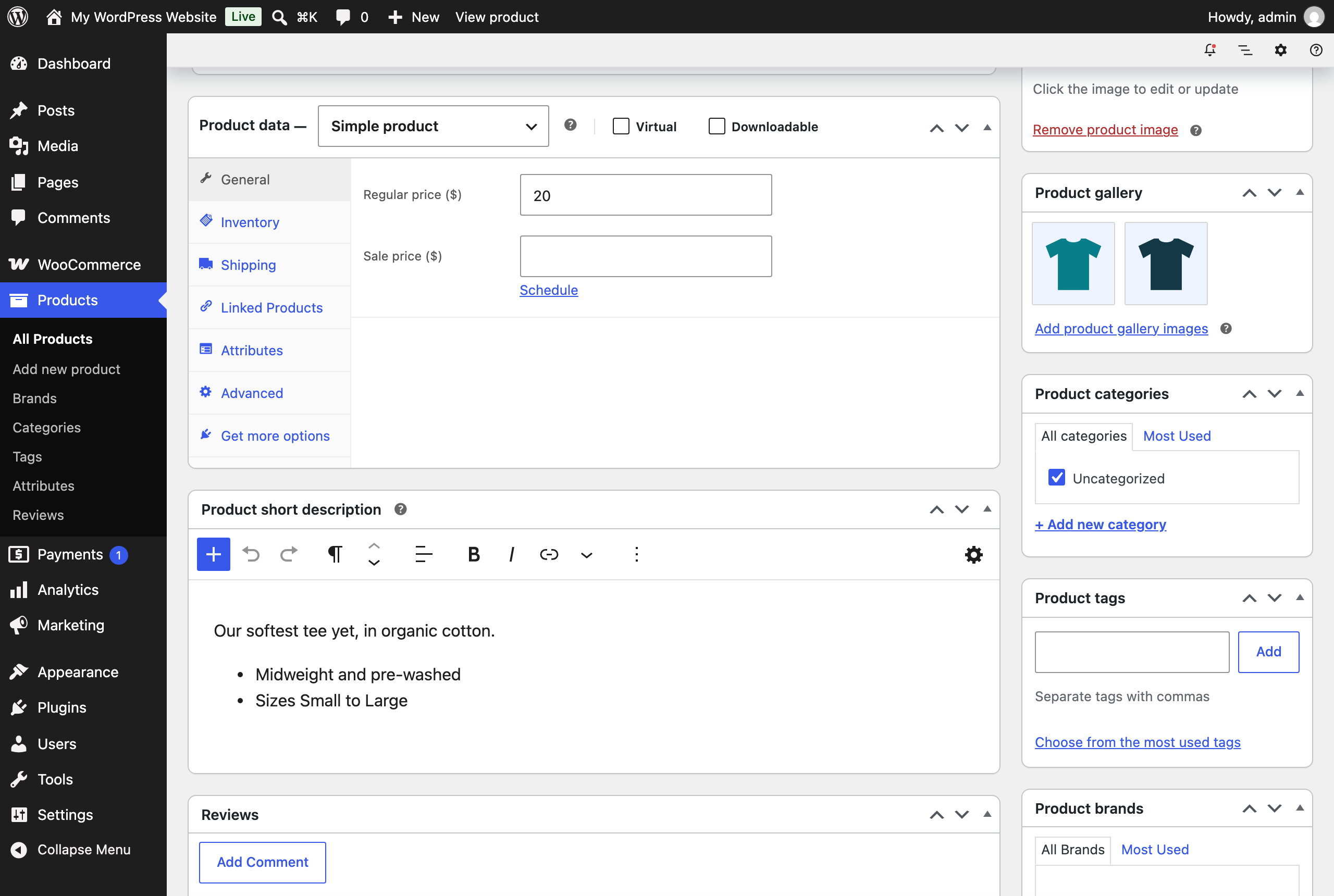
Actual plugin screenshot of the demo product’s short-description editor.
Format the short description too.
The short-description editor offers Paragraph, Heading, List and Quote blocks. On a block theme, formatting is retained on the product’s own page. Trimmed excerpts in product grids stay plain text.
Keep existing copy until you edit it.
Opening a product does not rewrite its descriptions. Classic content is shown as blocks for editing. If you save without changing that description, its original content is posted back unchanged. Once you edit it, it is saved as block markup.
There are no plugin settings. Activate the plugin, open a product in the classic WooCommerce product screen, edit either description and click Update. Product screens that already use the full block editor are left alone.
Requirements and limits
- Download version: 1.0.2. Free, GPL-2.0-or-later. The installed plugin name is Alkamy Block Editor Product Descriptions for WooCommerce.
- WordPress: 7.0 or later. WooCommerce: 11.1 or later. PHP: 7.4 or later.
- Tested on WordPress 7.1.2 with WooCommerce 11.1.2 and a block theme. Classic themes, multisite and extensions with their own product-screen scripts need separate testing.
- Only WordPress core blocks are offered. Full-editor panels such as an SEO plugin’s sidebar are not available inside these description editors.
- The editors use WordPress’s default block styles. Check the product page for the final storefront fonts and colours. Users who disable the visual editor keep the plain editors.
If you use Google for WooCommerce, descriptions are supplied as plain text without HTML or block markup. Its 5,000-character limit applies before that cleanup, so the final text may be shorter.
Source code and changelog on GitHub. For installation help, contact Alkamy.
Questions before you install
Does this replace the whole product editor?
No. Only the product description and short-description boxes become block editors. Product data, the publish box and your other meta boxes remain in the classic screen.
Can I use blocks from other plugins?
These editors offer the blocks that come with WordPress. Blocks registered by other plugins are not offered.
What happens if I deactivate it?
The classic editors return. Saved block markup remains and WordPress and WooCommerce continue rendering the main description. On a block theme, the product page returns to showing the short description as plain text.